
Inventory / Product Page
Inventory / Product Page(s)
Effective Date: February 1, 2026
Last Updated: February 7, 2026
Hibu Policy
Hibu One Smart Sites may include inventory-style content when a client provides a list of products, equipment, parts, materials, vehicles, or similar offerings. Inventory content is informational and visual in nature and is not intended to function as ecommerce, technical documentation, or product configurators.
To maintain quality, performance, and production consistency, Hibu follows a strict Inventory Fair Use Policy.
For additional context, see:
Catalog Overview Page and
Catalog Overview Pages vs. Inventory / Product Pages
Inventory / Product Pages: At-a-Glance
| Rule | Requirement |
|---|---|
| Purpose | Display individual products or services offered by the business |
| Page type | Utility page (not a Core Page or marketing page) |
| Build method | Photo Gallery widget |
| Card type | Item-level listings (one product or service per card) |
| Max gallery cards | Up to 50 total cards per site, shared across Inventory Pages and Catalog Overview Pages |
| Item representation | Each card represents one individual item, not a category |
| Content level | Short, non-technical descriptions only |
| Supported fields | One image, item name, short description, one CTA |
| Pricing indicators | Allowed only within the description text (no separate pricing fields) |
| CTA behavior | Required; routes to contact, phone, availability, visit, or request info |
| Ecommerce | Not supported on-site; off-site ordering allowed |
| Navigation placement | Tier One global navigation link, placed adjacent to Services or Products |
| Mega menu usage | Not included within mega menus |
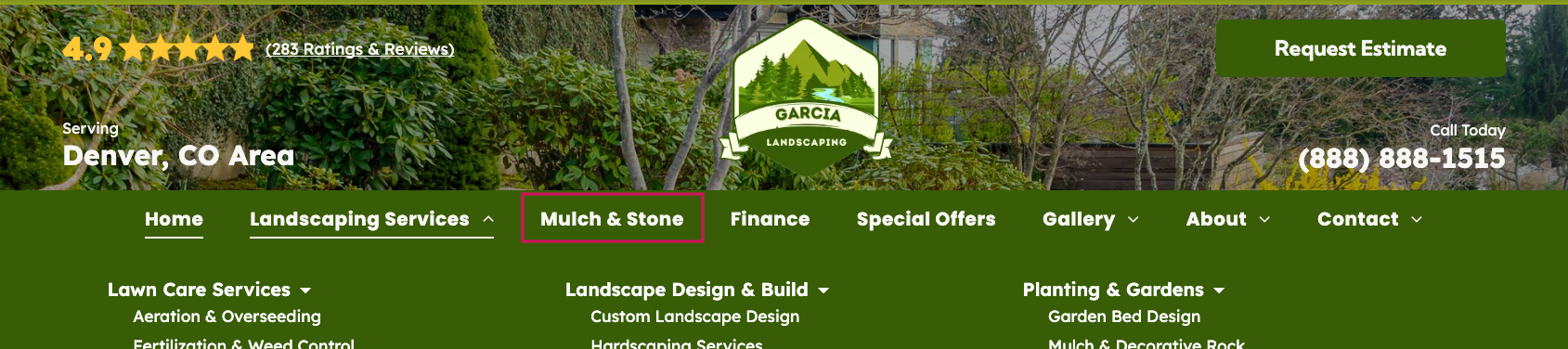
| Navigation label | Must clearly reflect what is being sold (e.g., “Mulch & Stone,” “Bicycles & Parts,” “Hair Products”) |
| Page title alignment | Page title must match the navigation label and page intent |
| Meta description intent | Describes visible inventory items and includes a clear next step |
| SEO intent | Supports discovery and decision-making, not full ecommerce |
| Not supported | Specs sheets, long descriptions, multi-image galleries, PDFs per item, comparison tables |
Definition
An Inventory Page is defined by the following characteristics:
- Displays a structured set of client-provided inventory items
- Is internally classified by Hibu as inventory
- Uses a public-facing page name that reflects the actual item category
- Examples: Tire Inventory, Brake Inventory, Mulch Inventory
- Presents inventory items using the Photo Gallery widget, with one gallery card per item
- A gallery card (a single image-based item within the Photo Gallery widget) represents one product or SKU
- Is added to the site from the Xtra Pages folder
- Follows utility-page styling, including:
- A thin hero
- No right gutter
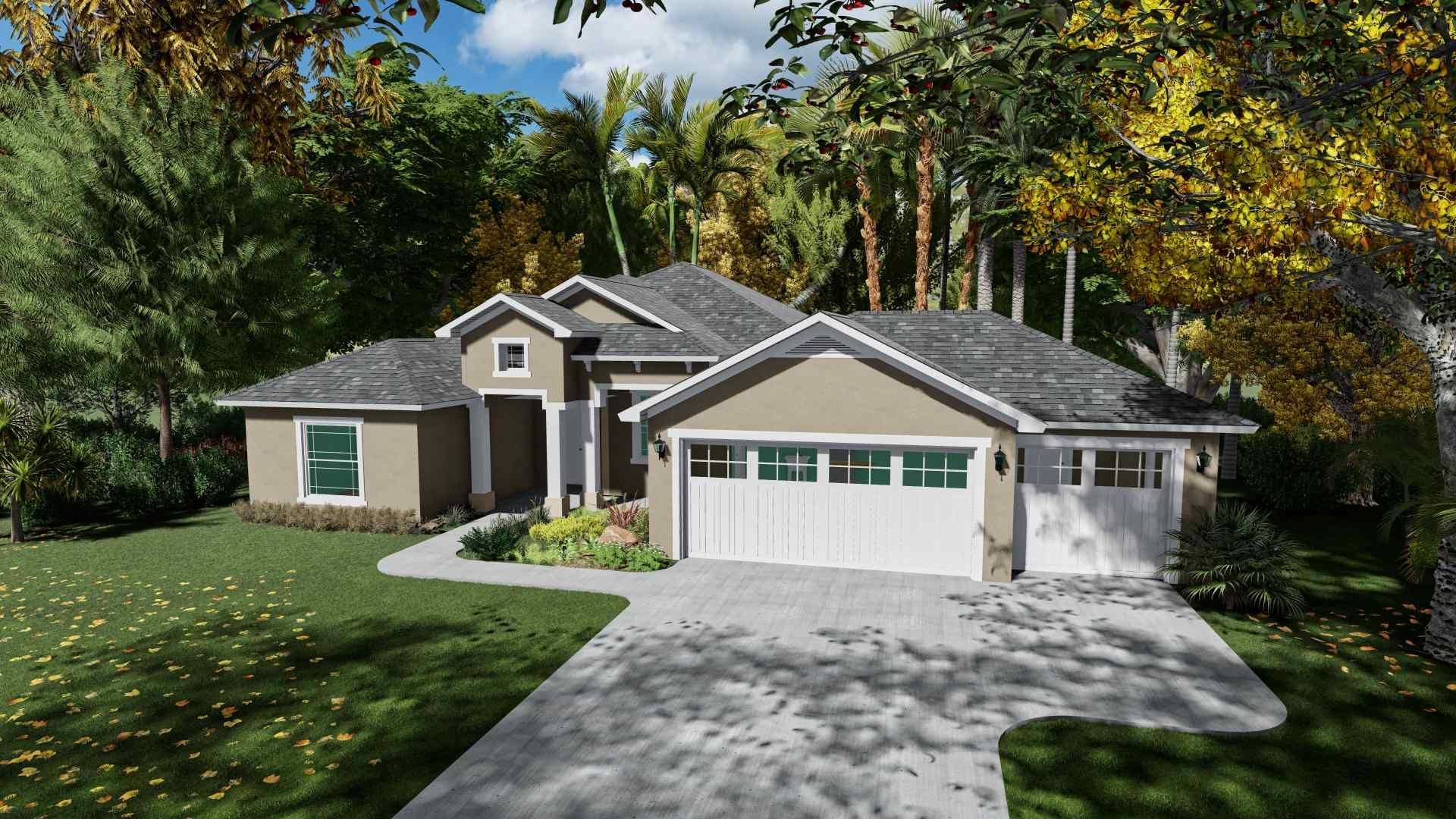
Captiva Lakeside
Single Family
- 1,912 Square Feet Under A/C
- 2 Beds + Den Or 3 Beds
- 2 Bathrooms
- 3 Car Garage w/ Storage
- 3,038 Total Square Feet
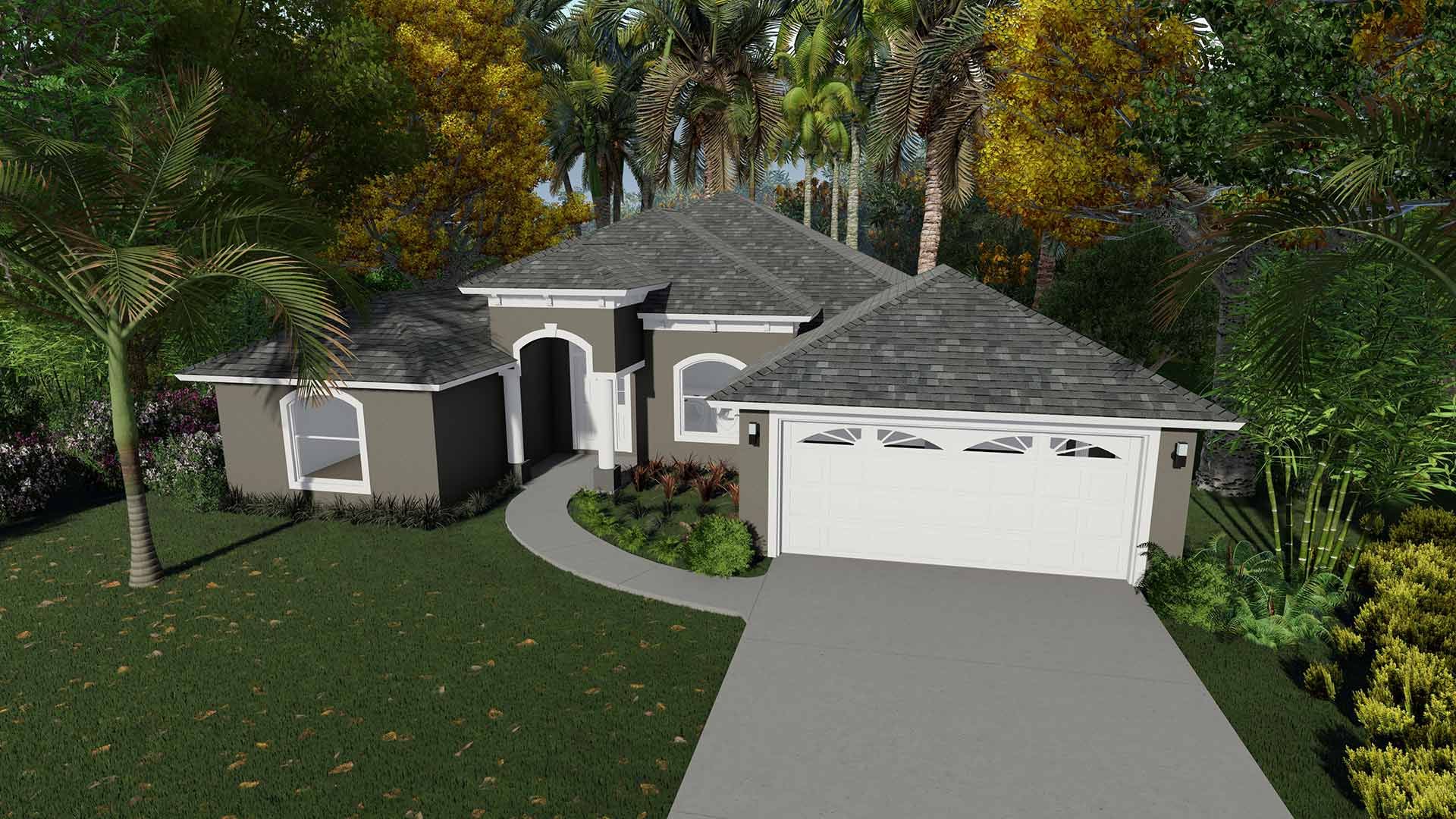
Captiva II
Single Family
- 1,832 Square Feet Under A/C
- 3 Bedrooms
- 2 Bathrooms
- 2 Car Garage w/ Storage
- 2,668 Total Square Feet
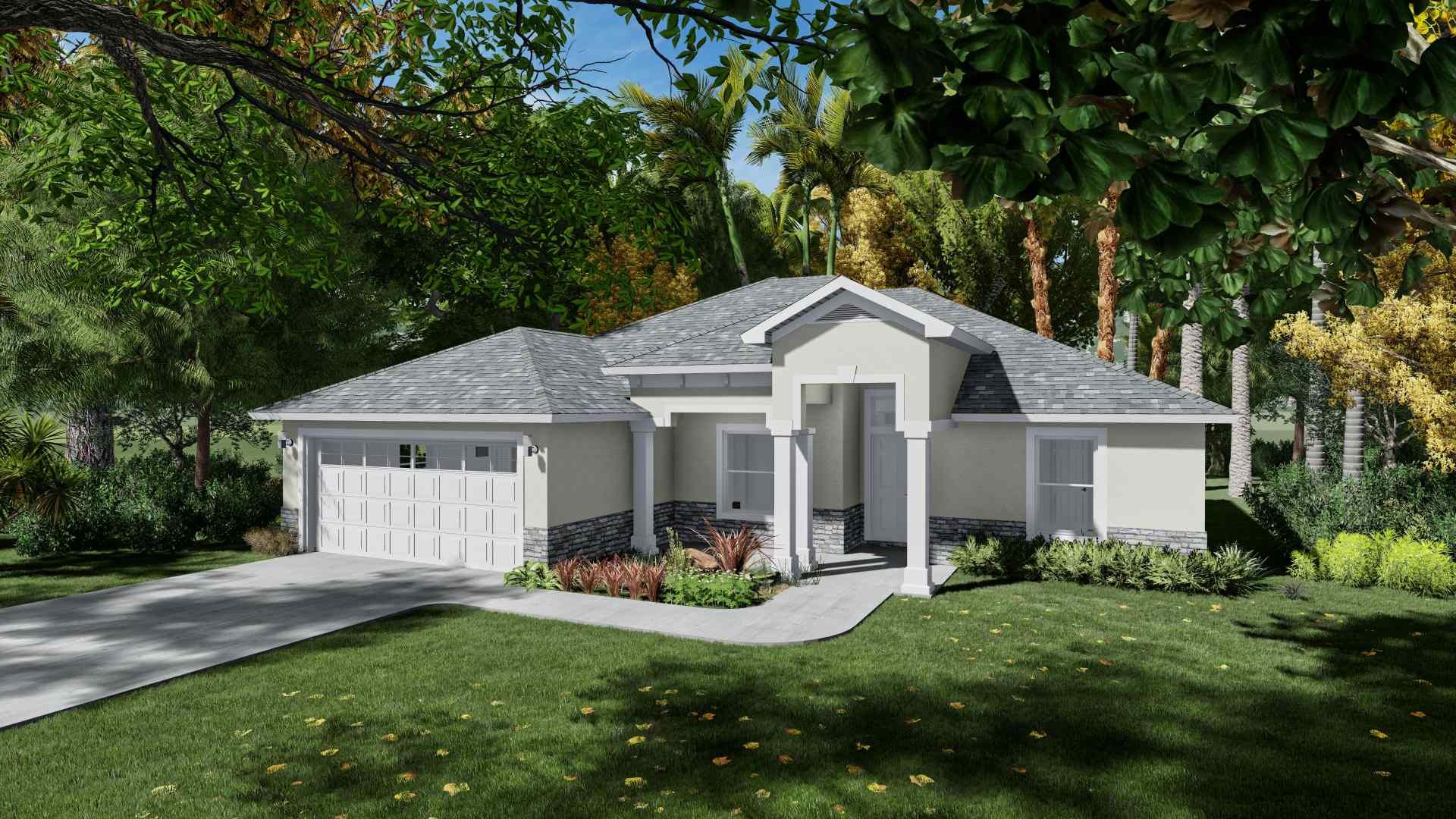
Martinique
Single Family
- 2,083 Square Feet Under A/C
- 4 Bedrooms
- 3 Bathrooms
- 2 Car Garage w/ Storage
- 3,049 Total Square Feet
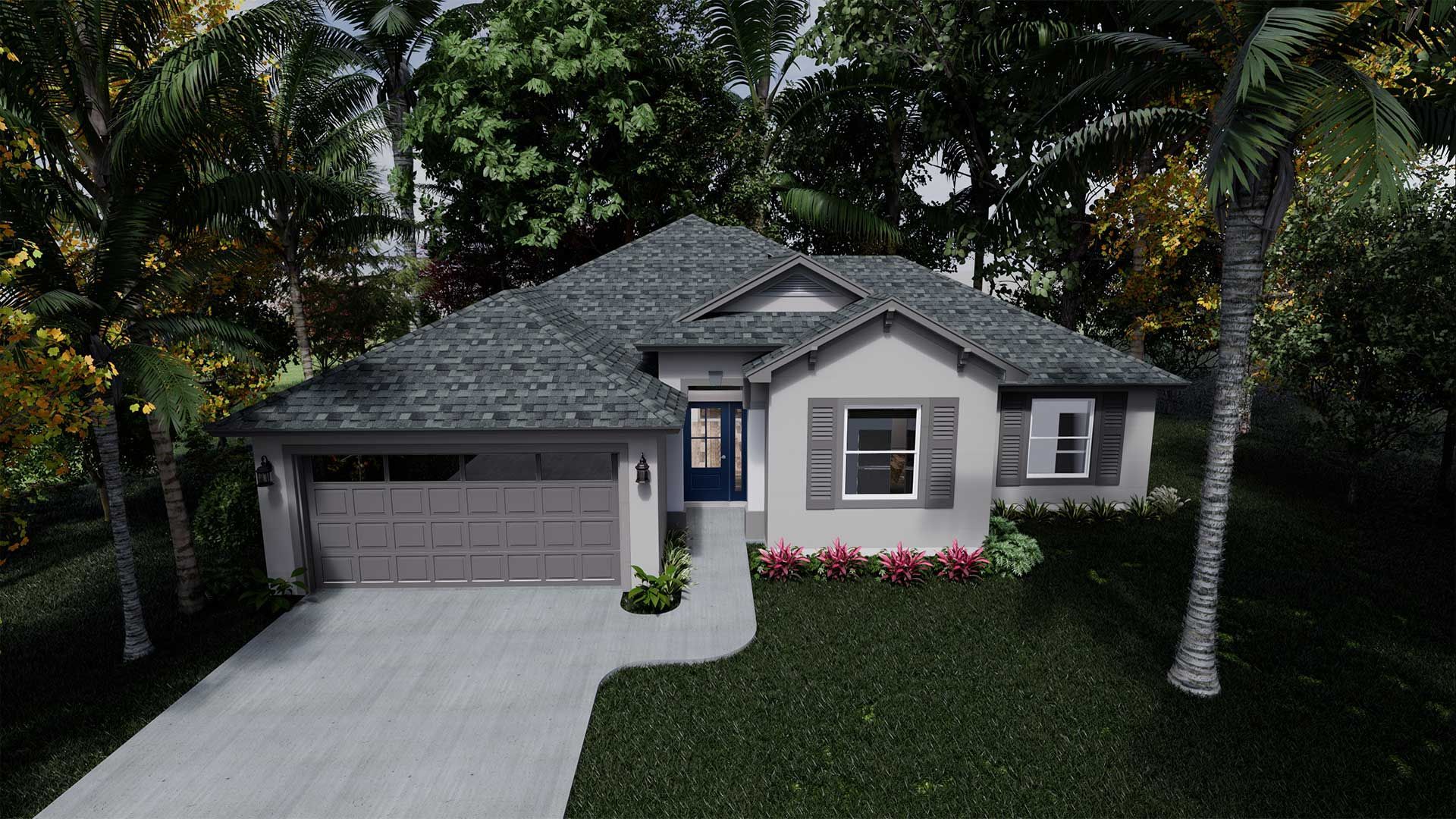
Malibu
Single Family
- 1,656 Square Feet Under A/C
- 3 Bedrooms
- 2 Bathrooms
- 2 Car Garage w/ Storage
- 2,380 Total Square Feet
When to Use an Inventory / Product Listing Page
Use an Inventory / Product Listing Page when a client’s offerings can be represented as individual, distinct items within the site’s inventory limits.
An Inventory Page is appropriate when all of the following are true:
- The client has 50 or fewer total items to display across the site
- Each item can be represented with:
- One image
- One clear product or service name
- A short, non-technical description
- Items are intended to be scanned and compared individually, not grouped at a high level
- The goal is to showcase specific products or services, not broad categories
Inventory Pages are best suited for offerings where each item stands on its own, such as rentals, retail products, equipment, or predefined service offerings.
Getting Started: Base Page Setup
When a Inventory / Product Page is required, a template page with preconfigured placeholder gallery cards is available in the XTRA Pages folder (page name: Inventory).
This template includes:
- A predefined page structure
- Placeholder supporting imagery
- A Photo Gallery widget configured for inventory-level cards
Inventory / Product Pages should not be built from scratch.
Page Type & Architectural Role
From an information architecture perspective, an Inventory Page functions as a standalone utility page within the site structure.
- It is treated as a Tier One–level page in the navigation hierarchy.
- It is styled and built as a utility page, not a Core Page or marketing page.
- It does not feature a right gutter, coupons, callouts, or an actual photo gallery.
Other Tier One or Core Pages may reference and link to the Inventory Page, typically through a callout or CTA. However,
inventory content is never embedded directly into Category Landing Pages, Core Pages, Service Area Pages, or Geo Pages.
Navigation Placement
From a navigation and UX perspective, Inventory Pages should be treated as primary destination pages.
- Inventory Pages appear in the Global Navigation as a Tier One item.
- They should be placed adjacent to the related Services or Products navigation item.
- Inventory Pages should not be nested inside a mega menu or dropdown.
- Inventory Pages should not appear as subpages under Core Pages (e.g., About, Services, Locations).
This placement reinforces that the Inventory Page is a standalone utility page intended for browsing and selection, not a supporting content page.
Navigation Labeling
Navigation labels must describe what the customer will see, not the internal page type.
- Avoid generic or internal labels such as Inventory, Listings, or Products unless those terms are already established in the client’s business language.
- Use plain-language, customer-facing product terms.
- Labels should reflect the actual items being sold, not categories or internal structure.
Example (Landscaper selling materials):
- Preferred: Mulch & Stone
- Acceptable: Landscape Materials
- Avoid: Inventory, Product Listings
The goal is clarity and expectation-setting. When a user clicks the navigation item, they should immediately understand what types of products they will see and whether ordering or inquiry is possible.
Inventory Page Navigation & CTA Examples
| Business Type | Navigation Label | What the Inventory Page Contains | CTA Button Text | CTA Destination / Behavior |
|---|---|---|---|---|
| Bicycle Shop | Bicycles & Parts | Individual bikes (by model) and select accessories (helmets, locks, lights) | View Details / Call for Availability | Links to Contact page or triggers phone call |
| Bounce House Rental | Bounce Houses | Individual inflatable units with size, theme, and capacity summaries | Check Availability | Links to Contact / Request Info form |
| Home Builder | Floor Plans | Individual home floor plans with images and short descriptions | Schedule a Walkthrough | Links to Contact or Scheduling page |
| Hair Salon | Hair Products | Individual retail products (shampoo, conditioner, styling products) | Ask About Availability | Links to Contact page or directions |
| Bar or Restaurant | Merchandise | Branded shirts, hats, glassware, and accessories | Buy In-Store | Links to Contact or Location page |
| Martial Arts Studio | Uniforms & Gear | Gi uniforms, belts, sparring gear, branded apparel | Call for Sizing | Click-to-call or Contact page |
| Equipment Rental | Rental Equipment | Individual tools or machines with brief usage descriptions | Request Rental | Links to Quote / Request form |
| Music School | Instruments & Accessories | Student instruments and required accessories | Contact for Details | Links to Contact page |
| Event Company | Event Rentals | Individual rentable items (chairs, arches, signage, décor pieces) | Request a Quote | Links to Quote / Contact form |
| Pet Groomer | Pet Products | Individual shampoos, brushes, treats, and branded accessories | Ask In-Store | Links to Contact page or directions |
| Pool Service Company | Pool Supplies | Individual chemicals, testing kits, cleaners, and accessories | Call for Availability | Click-to-call or Contact page |
| HVAC Company | Air Quality Products | Individual air purifiers, filters, humidifiers, and thermostats | Request a Quote | Links to Quote / Contact form |
| Roofing Company | Roofing Options | Individual shingle styles or material options with images | Get a Consultation | Links to Contact / Consultation form |
| Window & Door Company | Window Styles | Individual window or door models with brief summaries | Schedule a Consultation | Links to Contact / Scheduling page |
| Photography Studio | Print Packages | Individual print sizes, albums, and framing options | Order by Phone | Click-to-call |
| Cleaning Service | Cleaning Products | Individual branded cleaners, sprays, and supplies | Buy In-Office | Links to Contact or Location page |
| Landscaping Supply Yard | Bulk Materials | Individual mulch, stone, sand, or soil products | Order for Delivery | Links to Contact / Order Request form |
| Sign Company | Sign Products | Individual sign types (yard signs, banners, decals) | Request Pricing | Links to Quote / Contact form |
| Firearms Training Facility | Safety Gear | Individual ear protection, eyewear, locks, and accessories | Ask About Availability | Links to Contact page |
Title & Meta Description Requirements
The
Inventory Page must include a page title and meta description that clearly reflect the
specific products being listed, not broad categories.
Titles and meta descriptions must use the same public-facing terminology as the
page name, navigation label, and URL slug.
Page Title Requirements
- Must include the specific inventory type or product grouping
- Should indicate that the page contains individual items, not categories
- Avoid broad or generic terms that suggest a catalog or overview
- Examples
- Tire Inventory | Business Name
- Hair Product Inventory | Business Name
Meta Description Requirements
- Must briefly describe the overall category or range of products, not specific SKUs
- May reference brands, types, or use cases, but must avoid item-level detail
- Must include a natural lead-in to next steps (view catalog, contact, request info)
- When space permits, should include a location-based cue (e.g., city, region, or “visit us”) to reinforce local relevance and support SEO for brick-and-mortar businesses
- Should not imply full ecommerce unless explicitly supported
- Examples
- Title: Tire Inventory | Glisson's Tire Depot
- Meta Description: View our tire inventory, including options for cars, trucks, and SUVs. Stop by Glisson’s Tire Depot in
Twin Falls, Idaho, or contact us for availability, fitment questions, and ordering details.
- Title: Hair Product Inventory | Curl Up & Dye
- Meta Description: View our hair product inventory featuring professional shampoos, conditioners, and styling products. Visit
one of our three Curl Up & Dye locations in the Albuquerque area, or contact us for product availability.
Category Page Structure Overview
An
Inventory / Product Listing Page follows a simple, consistent structure:
- Inventory / Product Page Introduction
A brief introductory section that provides high-level context about the products or services being offered on the page. - Inventory / Product Gallery
A Photo Gallery widget displaying individual inventory items, where each card represents a single product or service and includes an image, title, short description, and CTA.
This structure is fixed. Content and imagery may be updated, but the overall page layout should not be altered.
Inventory Page Introduction Requirements
Each Inventory / Product Listing Page must include:
- An H2 introductory headline
- A short introductory paragraph describing the specific products or services being listed
- One or more supporting images that provide product-level or offering-level context
Supporting images should:
- Represent the overall inventory offering, not a single featured item
- Support the inventory section visually without duplicating gallery content
- Be client-supplied or approved stock photography
The introduction is intended to orient users before they browse individual inventory items and should remain brief, clear, and non-technical.
Inventory / Product Card Format (Gallery Items)
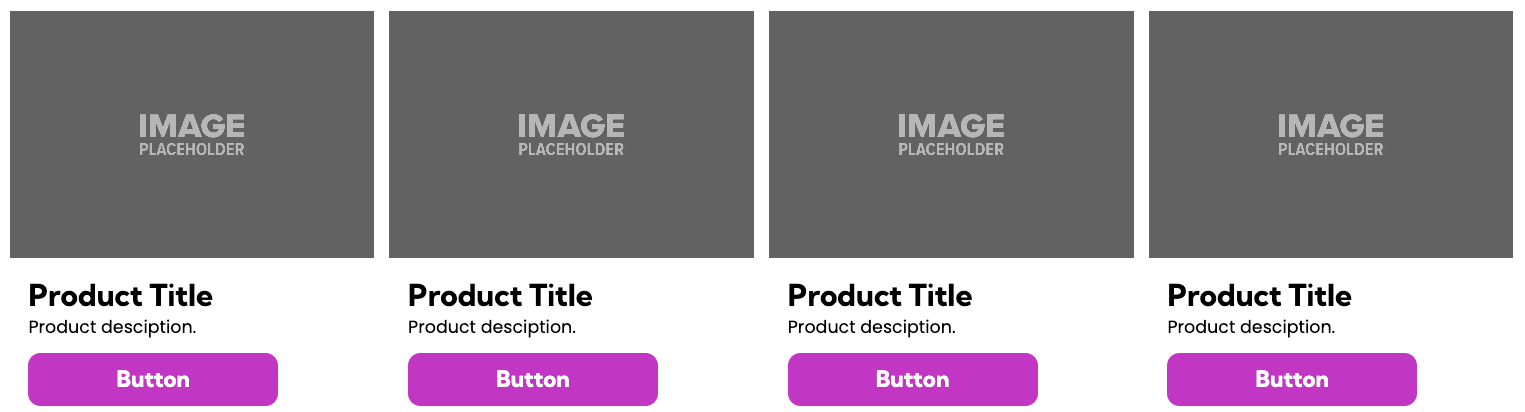
Each gallery card on an Inventory / Product Listing Page represents one individual product or service.
Each inventory card may include:
- One image
- One product or service name (title)
- One short description
- One CTA
Inventory descriptions should:
- Clearly describe what the item is
- Remain concise and non-technical
- Be written to fit within the visual constraints of a gallery card
- Avoid excess detail that cannot be reasonably displayed at the card level
Inventory cards must not be used to:
- Simulate full product detail pages
- Display multi-paragraph descriptions
- Include technical spec sheets or extensive measurements
- Attach documents or PDFs to individual items
Inventory Item Selection Responsibility
- The DSC is responsible for confirming which products or services should be included on the Inventory Page, in coordination with the client.
- The Copywriter must not independently select inventory items or make assumptions about what should be included.
- If a confirmed inventory list is not provided, the Copywriter must FWR the site back to the DSC for clarification before proceeding.
This ensures inventory content accurately reflects client intent and prevents unauthorized, incomplete, or misrepresented listings.
Inventory Content Source & Editing Guidance
Inventory content is typically sourced from the client’s existing website, catalogs, or sales materials. When available, this content should be reused and adapted to fit the Inventory Page format.
Because Inventory Pages display
individual items as gallery cards, content frequently requires
editing or simplification to remain clear, accurate, and usable within layout constraints.
Teams should follow these principles:
- Reuse existing client content when it can be reasonably adapted
- Condense long or overly detailed descriptions into a clear, non-technical summary
- Focus on what the item is and why it matters, not exhaustive specifications
- Avoid forcing detail that cannot be clearly represented within a gallery card
If an inventory item
cannot be accurately summarized without misrepresenting the product or service, the site must be
FWR’d to the DSC for clarification rather than forcing a rewrite.
Inventory Card Format (Gallery Items)
Each inventory item is represented by one gallery card and must include only:
- One image
- One item title
- One short description
- One CTA
Inventory cards represent
individual products or services, not categories.
Inventory cards must not be used to:
- Group multiple items into one card
- Display SKUs, variants, or pricing tables
- Simulate ecommerce product listings
Inventory Description Guidelines
Inventory descriptions should:
- Be clear, concise, and non-technical
- Stand on their own without relying on clicks, truncation, or ellipses
- Lead naturally toward the CTA
Descriptions should avoid:
- Technical specifications or measurements that require tables
- Multi-paragraph formatting
- Instructions telling users how to interact with the page (e.g., “Click below”)
Gallery Column Layout Rules
The number of columns used in an inventory gallery is determined by image orientation, visual clarity, and content density.
- Four columns may be used for simple, uniform items with minimal text (e.g., material swatches)
- Three columns are appropriate for standard product-style inventory
- Two columns may be used when images are large, detailed, or are the primary selling element (e.g., rentals, equipment, bounce houses)
Column selection should prioritize
readability and visual balance over uniformity.
Inventory Pages are pulled from the
Xtra Pages folder. Mobile and tablet layouts are
predefined and must not be altered.
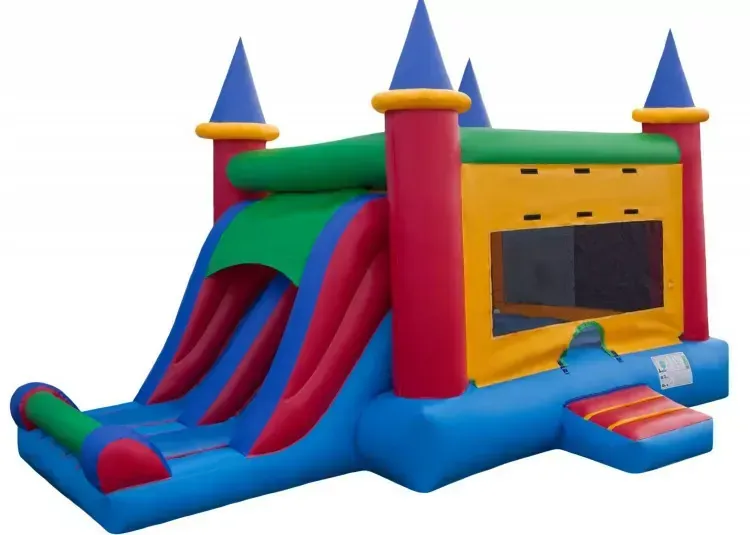
Dual Slide Castle Combo
Bring the fun with this 23’ x 15’ x 15’ Dual Castle Combo. Complete with two 6-feet slides, a bouncing area, and basketball net, this bouncer will be sure to entertain your party guests.
$375/day
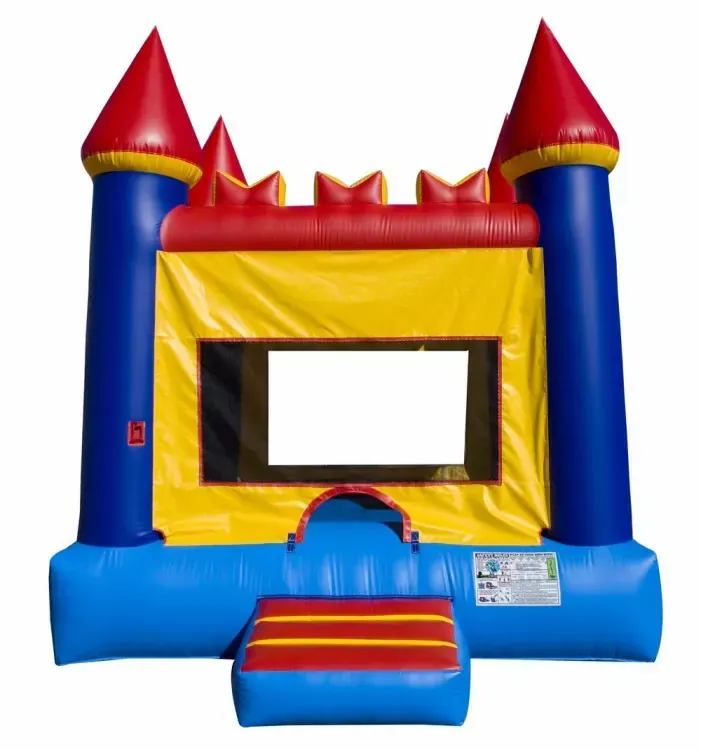
Bounce Castle
An instant classic. Add this US-Made 15’x15’ Bounce Castle to any event to make it a memorable one. Perfect for birthday parties, block parties, school events, or just for entertaining the kids at home.
$275/day
Inventory Image Requirements
- All inventory item images must be client-supplied
- Stock photography is not permitted for inventory items
If an inventory image is missing:
- Use a neutral placeholder image sized to match the gallery
- Do not substitute unrelated or generic imagery

3-5" Delaware River Stone
Our bulk stone is sold by the cubic yard. Delivery is available with a 3 yard minimum (mixing of material is not possible).
Price: $115.00

3/8" Clean Stone
Our bulk stone is sold by the cubic yard. Delivery is available with a 3 yard minimum (mixing of material is not possible).
Price: $95.00

3/8" Delaware River Stone
Our bulk stone is sold by the cubic yard. Delivery is available with a 3 yard minimum (mixing of material is not possible).
Price: $99.00
Inventory CTA Requirements
Each inventory card must include one CTA.
Valid CTA destinations include:
- Contact Us page
- Request Info or Request Estimate form
- Client-provided PDF or catalog
- External product or inventory website
- Email or click-to-call (when appropriate)
CTAs must:
- Represent a clear next step
- Avoid implying on-site ecommerce functionality
Do not use:
- Buy Now
- Add to Cart
- Shop Now
Multi-Category Inventory Pages (When Applicable)
If a client’s inventory spans multiple product types (e.g., Tires, Brakes, Batteries), the Inventory Page may include multiple sections.
Each section must include:
- An H3 category heading
- A grouped set of inventory cards
- An anchor for navigation consistency
- All inventory items across all sections
count toward the 50-card site limit.