Header Background Imagery
Header Background Imagery
Effective Date: February 25, 2026
Last Updated: February 25, 2026
Hibu Policy
The header background must preserve readability, brand clarity, and structural integrity across all devices.
Approved header backgrounds include:
- Solid brand colors
- Subtle textures
- Low-detail imagery that does not interfere with header content
Detailed photographs, images containing people, text, high contrast areas, or busy compositions that compete with the logo, navigation, or calls to action are not supported.
The header is a functional space first. Visual treatment must never compromise usability.
It is expected that the Hibu design team will rename files appropriately, and apply descriptive alt text when applicable.


Header Background Imagery At-Glance
| Category | Allowed | Not Allowed |
|---|---|---|
| Background type | Solid brand colors, subtle textures, and low-detail imagery that stays behind header content | Detailed photographs, busy scenes, or imagery that becomes a focal point |
| Readability | Backgrounds must preserve readability of the logo, navigation, CTA, and contact details | Any background that reduces legibility or makes header content harder to scan |
| Visual complexity | Low-contrast, restrained visuals that support the header without competing with it | High-contrast compositions, distracting patterns, or imagery with too much detail |
| Content in image | Abstract or low-detail textures and imagery without competing subjects | People, faces, readable text, skyline scenes, or action-focused photography |
| Relationship to header content | Background imagery must remain secondary to the header at all times | Imagery that visually overpowers the logo, navigation, or primary CTA |
| Accessibility | Background and foreground elements must maintain sufficient contrast | Backgrounds that create poor contrast or reduce accessibility across devices |
| Responsive behavior | Backgrounds must remain clean and readable across desktop, tablet, and mobile | Imagery that becomes cluttered, cropped poorly, or inconsistent across breakpoints |
| Transparent header considerations | If transparency is used, the image behind it must still preserve clarity and usability | Transparent headers over detailed or high-contrast imagery that weakens readability |
| Performance | Lightweight, optimized background assets are supported | Large or unoptimized files that affect performance |
| File handling | The Hibu design team renames background image files appropriately and applies descriptive alt text when applicable | Original file names should not remain unchanged or unlabeled when alt text applies |
Key Rule
Header background imagery is decorative support, not primary content. It must protect readability, brand clarity, and structural consistency across all devices.
Definition
Header background refers to the visual treatment behind the header content (reviews, logo, header CTA, phone number, geo, etc.). This may include color, texture, or imagery.
Purpose / Why It Matters
The header is one of the most constrained and high-impact areas of the website. It must:
- Load quickly
- Remain readable across desktop, tablet, and mobile
- Maintain consistent alignment and spacing
- Clearly present branding and primary navigation
When a header background becomes visually complex, it introduces risk:
- Reduced logo legibility
- Navigation becoming harder to scan
- Accessibility issues due to poor contrast
- Visual clutter on smaller screens
- Inconsistent behavior across breakpoints
A clean header ensures faster cognitive processing and stronger brand recognition.
Rules & Guidelines
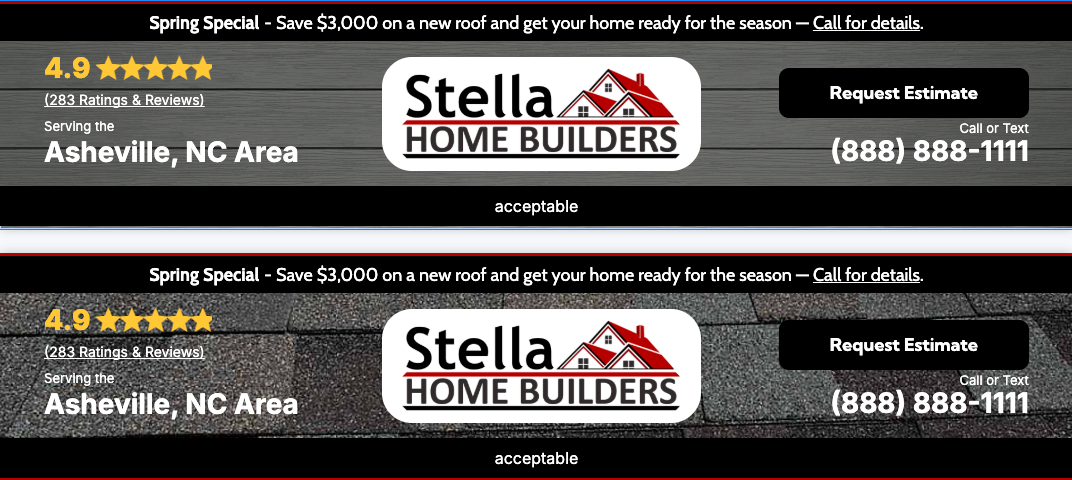
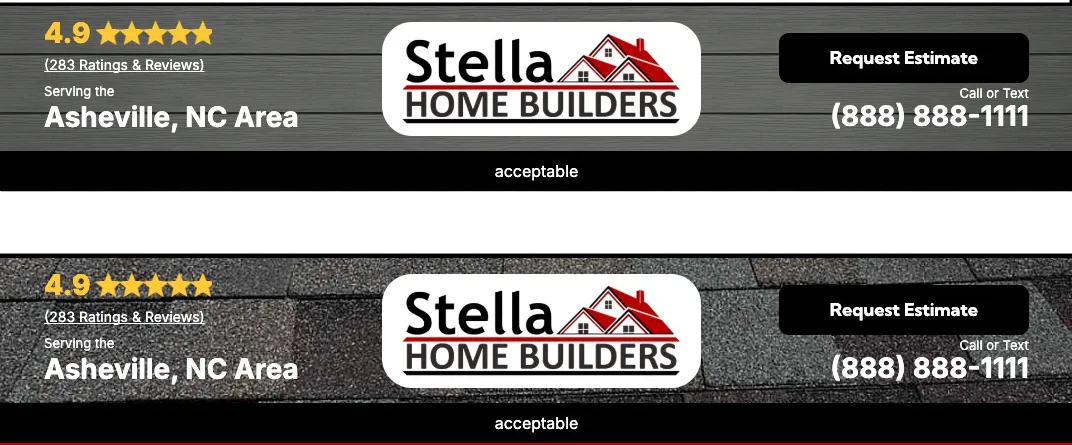
Aceptable
- Solid brand colors
- Light textures
- Extremely low-detail imagery (e.g., soft water texture for a pool company, faint wood grain for woodworking)
- Backgrounds that maintain strong contrast with header content
- If an image is used:
- An overlay may be applied to soften contrast and improve text clarity.
- The overlay must be subtle and support brand consistency.
- The image must remain secondary to the header content at all times
Not Acceptable
- Detailed photographs with people or faces
- Images containing text
- High-contrast or busy compositions
- Backgrounds that reduce readability of the logo or navigation
- Imagery that competes with the header CTA
- Patterns that create visual vibration or distraction
Design Standards
- Contrast between background and header content must meet accessibility standards.
- Background imagery must not visually overpower the logo.
- If transparency is used, the image behind it must still preserve readability.
- Performance considerations apply — large or unoptimized files are not supported.
Examples
Acceptable
- A solid navy brand color behind a white logo
- A lightly blurred water texture with minimal detail
- A muted wood texture with low contrast
Not Acceptable
- A team photo behind the navigation
- A city skyline with strong contrast
- A background containing readable words
- A detailed action shot behind a transparent header