
Call or Text Button
call or Text Button (Textable RCF)
Effective Date: February 1, 2026
Last Updated: February 9, 2026
Definition
The
Call or Text feature (aka Textable RCF) is a Hibu One Smart Site conversion element that gives visitors a choice between calling the business or sending a text message. When activated, it opens a pop-up offering two clear paths —
Call Us or
Text Us—using the visitor’s native phone or messaging application. This functionality increases convenience, improves mobile engagement, and supports consumer preference for text-based interactions.
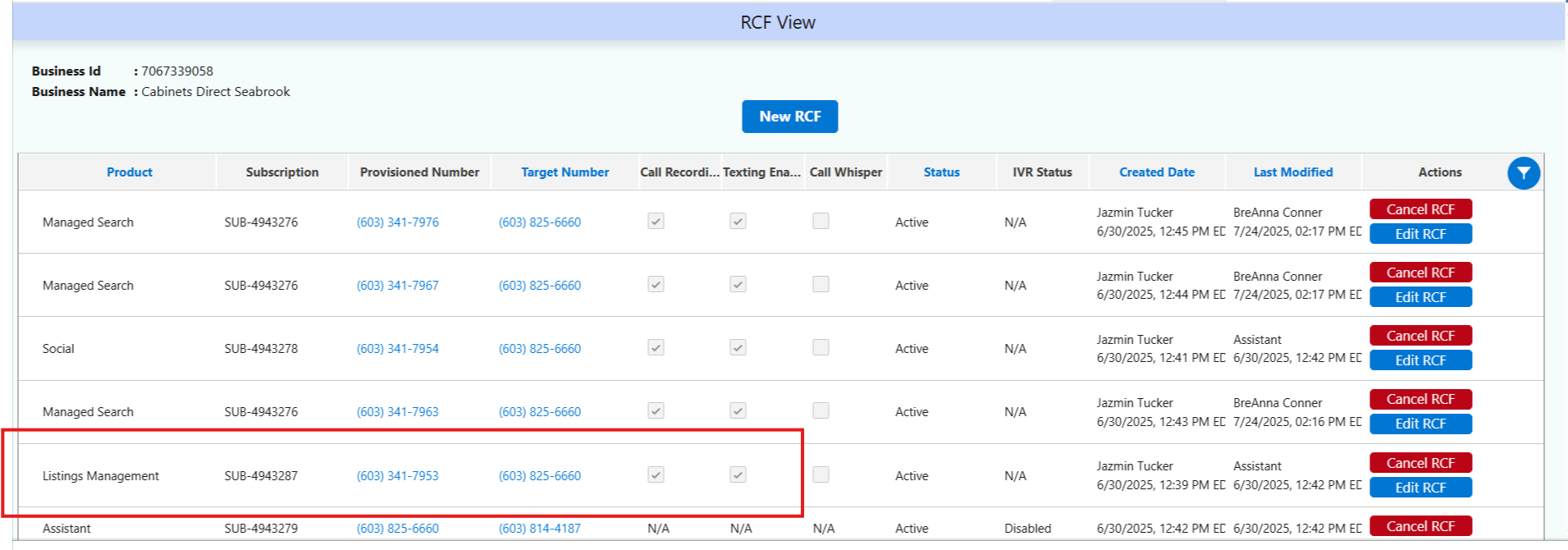
Hibu One call-tracking numbers are textable only when texting is enabled for the RCF number at the time the number is provisioned.
(updated 02/09/26)
Hibu One Smart Site Rules
- The Call or Text CTA appears only in two locations on a Hibu One Smart Site:
- The desktop header, displayed as a CTA lead-in before the main phone number
- The mobile header button, displayed as “Call or Text”
- The Call or Text CTA must not appear anywhere else on the site, including:
- Body content
- Callouts
- Coupons
- Footer CTAs
- Any secondary elements
- When a visitor clicks Call or Text, a pop-up appears offering:
- Call Us — triggers the device’s native calling application to dial or cancel
- Text Us — opens the device’s native SMS/text application so the user can start a message
- The Call or Text feature must always use the primary business phone number listed in Business Information (typically connected through Yext).
- No alternative numbers, personal numbers, or off-platform numbers may be used.
- If multiple numbers exist, the Call or Text pop-up must use the business’s designated primary line.
- The text within the Call or Text header CTA is standardized as “Call or Text.”
- This wording is not changed per client preference.
- This CTA must remain short, clear, and immediately recognizable as a dual-path contact option.
Assistant RCF
- The Assistant RCF is not part of the text/call feature.
- The goal is to capture contacts visiting the clients Hibu Website via texting START or calling the Assistant RCF.
- Sending a normal text to the Assistant RCF does not allow us to send that contact marketing information.
- The Assistant RCF appears throughout the site ONLY if a Listing RCF is not provisioned.
- It is permissible for the Assistant Banner to appear on a site even if there is a listings RCF in the header etc.
- Since the Assistant RCF is not part of the texting feature, it would not be used in the engagement menu if the Listing RCF is not provisioned.

Client Expectations
- Texting availability: Because Hibu One call tracking lines are textable by default, clients do not need to take any action to enable SMS capability.
- Usage boundaries: The Call or Text feature is intentionally limited to header areas to avoid duplicative CTAs and maintain a clean conversion path.
- Consistency: This is a standard Hibu One feature; removing or altering it is not recommended unless a compliance issue requires it.
- Message content: Text conversations occur directly between the customer and the business. Hibu does not capture, store, or monitor the messaging thread.