
Better Business Bureau (BBB) Logo Usage
Better Business Bureau (BBB) Logo Usage
Effective Date: February 6, 2026
Last Updated: February 6, 2026
Hibu Policy
Hibu may reference the Better Business Bureau (BBB) on client websites only in ways that are accurate, non-misleading, and compliant with BBB trademark and hyperlinking requirements. BBB logos, text references, and links must not imply accreditation, endorsement, or a rating unless the business is officially accredited and the usage is permitted by BBB.
Read This First: Required Rules for BBB Usage
Before reviewing or applying any part of this definition, the following rules must be understood and followed. These are required for all BBB references on Hibu One Smart Sites.
- Accreditation status must be verified before approving any BBB seal, rating, or dynamic code.
- If accreditation cannot be confirmed, default to:
- A plain BBB logo with no rating, or
- A text-only link to the BBB profile.
- Never imply endorsement, approval, or a letter grade without verified BBB authorization.
- Dynamic BBB seals and rating badges must be provided directly by the client via official BBB-generated code.
- Only use the provided code exactly as BBB generates it. Do not modify the image file, hyperlink, or rating text unless authorized.
- The Hibu design team is expected to rename all uploaded BBB logo files and apply alt text that does not imply accreditation or endorsement.
Definition
The Better Business Bureau (BBB) is a consumer-facing organization that issues public business profiles. Accredited businesses may also receive accreditation seals and letter-grade ratings (A+ through F). Only accredited businesses may use BBB dynamic seal code that displays rating information.
Purpose / Why It Matters
BBB closely controls the use of its name, logo, and accreditation assets to prevent consumer confusion and protect trademark rights. Improper use—such as showing an “A+” badge for a business that is not accredited or not using authorized code—can mislead users and violate BBB rules. This policy protects both Hibu and its clients from compliance risk.
Rules & Guidelines
Allowed Usage
- Hibu may include either a
plain BBB logo or a
text-only link under the following conditions.
Rules & Guidelines
Plain BBB Logo (No Rating)
- The logo must be a standard Better Business Bureau (BBB) logo mark, either:
- Supplied by the client, or
- Selected from Hibu’s approved asset library.
- The logo must not include:
- Letter grades (e.g., “A+”)
- “Accredited Business” language
- Accreditation seals or rating badges
- The logo must be:
- Neutral in appearance
- Non-misleading
- Hyperlinked directly to the business’s official BBB profile page
- The business must have a valid BBB listing.
- This must be confirmed by the DSC.




Text-Only Links
- A standard text hyperlink may be used instead of a logo, such as:
- “View our Better Business Bureau profile”
- “See our BBB listing”
- “Learn more on BBB.org”
- Text links must:
- Point directly to the business’s official BBB profile URL
- Avoid mentioning ratings or accreditation unless verified and permitted
- Be factual and descriptive
Placement
Non-Accredited BBB Logo (Plain Logo, No Rating)
A non-accredited BBB logo may be placed in the following locations, provided it is hyperlinked directly to the business’s official BBB profile:
- The footer, within the badges, partner icons, or accreditation logos area.
- Directly beneath the primary CTA in the hero.
- The About Us page, visually associated with the About Us introduction copy.
When used, the specific BBB logo must always link to the client’s BBB profile page.
Text-Based BBB References (No Logo, No Rating)
Text-based BBB references may be included throughout site copy, provided they remain factual and do not imply accreditation, endorsement, or a letter grade. Depending on placement text-based BBB references will be hyperlinked to the business’s official BBB profile..
Permitted Locations (Hyperlinked)
- Introduction copy on any page
- About Us copy
- Reasons to Contact Us sections on internal pages
- General body copy throughout the site
Permitted Locations (Not Hyperlinked)
Text-based BBB references may appear without hyperlinks in the following sections:
- Why Choose Us
- Motivating Factors
In these areas, BBB references must remain purely informational and may not function as clickable links.
Accredited BBB Seal (Dynamic Code Only)
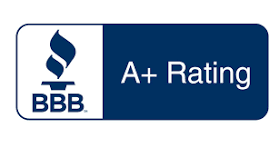
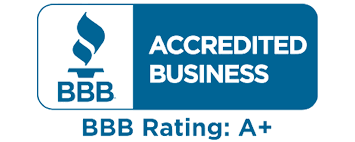
When a business is officially accredited and provides authorized BBB-generated HTML code, the dynamic accreditation seal may be placed in limited locations due to technical and layout constraints.
Approved placements include:
- The footer
- The right gutter, positioned as the last item beneath related links
- Near the About Us introduction or Location Profile introduction, when layout supports embedded HTML
Accredited BBB seals must always use the client-provided code exactly as generated and may not be recreated, modified, or converted into static images.


Prohibited Usage
Hibu will not:
- Display any BBB logo or text that:
- Implies accreditation when the business is not accredited
- Displays a letter grade (e.g., “A+”) without verified authorization
- Suggests BBB endorsement, sponsorship, or approval
- Use:
- BBB accreditation seals
- Dynamic BBB widgets or embedded rating code without client-provided authorized code
- Use language such as:
- “BBB Approved”
- “BBB Certified”
- “Top Rated by BBB”
- Link to BBB in a way that is misleading, visually confusing, or inconsistent with BBB trademark guidelines.
How to Get Your BBB Dynamic Seal Code
If the business is BBB Accredited and has access to the BBB Business Portal, they can obtain the official dynamic seal code (which may include rating information). Here’s how:
- Log in to the BBB Business Portal at:
https://www.bbb.org/all/business-resources/business-loginusing your BBB business credentials. - Navigate to the section labeled Accredited Business Seals (or similar, depending on your BBB region).
- Choose the seal design you want to display (formats/options may vary).
- Copy the generated HTML code snippet that appears for your selection.
- Provide that HTML snippet to Hibu for exact placement on your website.
Example Placeholder Code
<!-- BBB Dynamic Seal (Example Placeholder) -->
<a href="https://www.bbb.org/example-business">
<img src="https://example-badge-url.png" alt="BBB Accredited Business Seal">
</a>
Important: Only use the provided code exactly as BBB generates it. Do NOT modify the image file, the hyperlink, or rating text in the code unless authorized.