
Social Image (Open Graph / OG) Rules
Social Image (Open Graph / OG) Rules
Hibu Policy
Every Hibu One Smart Site includes a default Social Image.
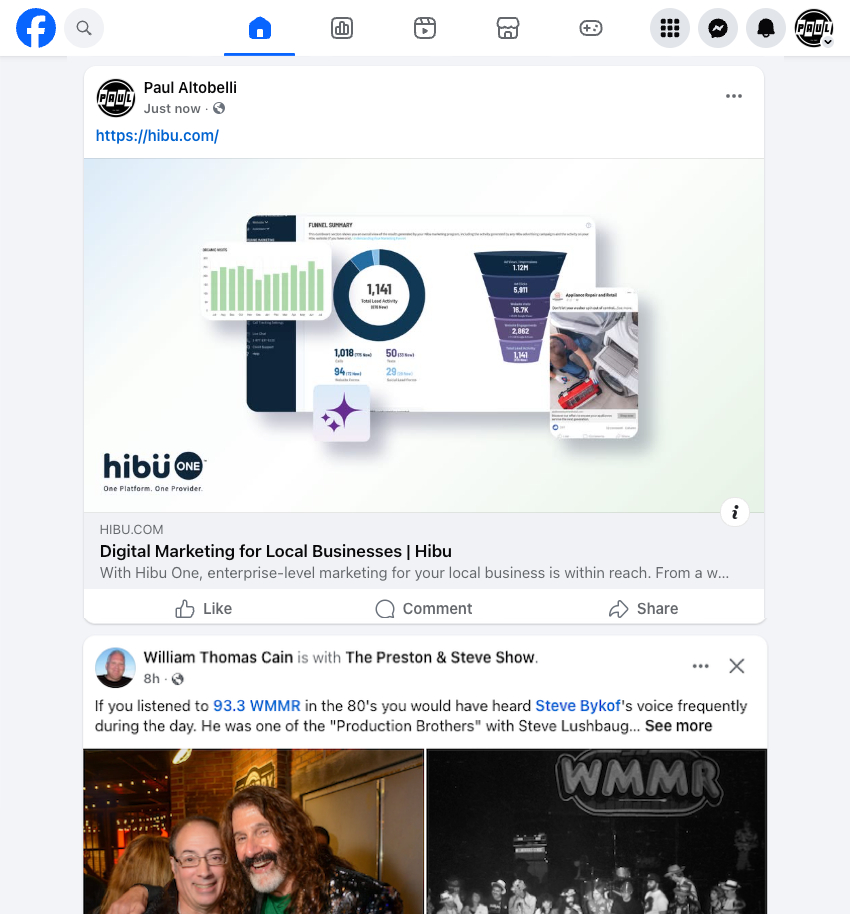
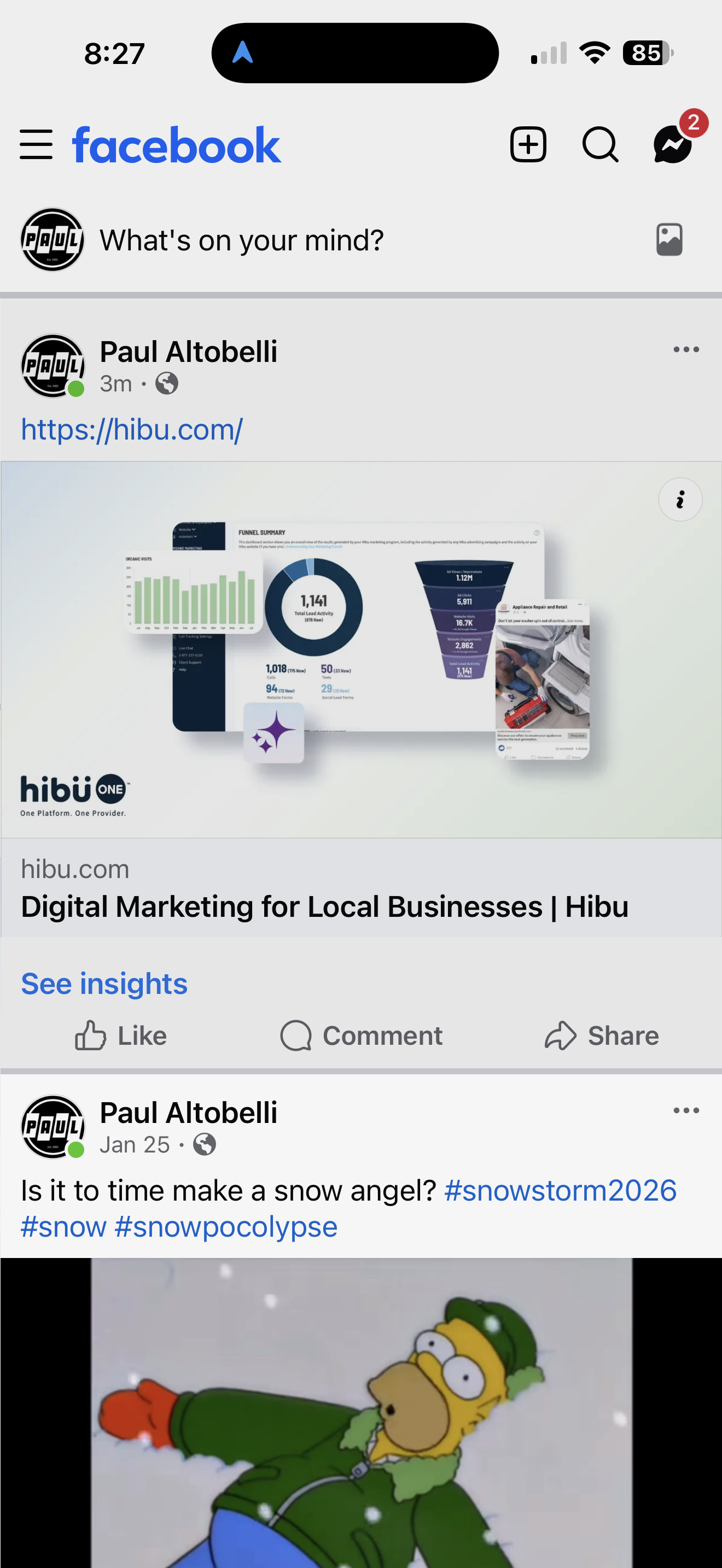
The Social Image (technically referred to as the Open Graph or OG image) controls how a website appears when its link is shared on social media platforms, messaging apps, and mobile browsers.
The Social Image must meet defined size, aspect ratio, and content standards to ensure consistent rendering and professional representation across platforms.
After this section, the Social Image may be referred to as the
OG image.
Social Image (Open Graph / OG): At-a-Glance
| Number | First Name | Last Name | Email Address |
|---|---|---|---|
| 1 | Anne | Evans | anne.evans@mail.com |
| 2 | Bill | Fernandez | bill.fernandez@mail.com |
| 3 | Candice | Gates | candice.gates@mail.com |
| 4 | Dave | Hill | dave.hill@mail.com |
Definition
A Social Image (Open Graph or OG image) is the primary preview image displayed when a website link is shared on platforms such as Facebook, LinkedIn, or in messaging applications like iMessage.
It appears alongside the page title and description in link previews.
Purpose / Why It Matters
The Social Image is often the first impression of a business when a link is shared. A properly sized and relevant image improves visual clarity, reinforces credibility, and increases engagement. Improper sizing or poor image selection may result in cropping, low-quality previews, or inconsistent display across devices.
Effective Date: February 12, 2026
Last Updated: February 12, 2026
Rules & Guidelines
Default Requirement
- Every Hibu One Smart Site includes a default OG image.
- In most cases, the OG image should be derived from the homepage hero image to maintain visual continuity between the preview and the landing page.
- A cleaner crop or text-free version of the hero image may be used when necessary.
Image Size & Aspect Ratio
- Recommended size: 1200 × 630 px
- Maximum practical size: 2400 × 1260 px
- Required aspect ratio: 1.91:1
- Images smaller than the recommended size may appear soft or reduced in prominence on high-resolution mobile screens.
Where the Social Image Appears
The OG image may display:
- When a link is shared on Facebook or LinkedIn
- In iMessage previews on iPhones
- In mobile browser link previews
Platform behavior varies:
- On iPhone (iMessage and Safari), OG images commonly appear in link previews.
- On Android devices, preview behavior depends on the messaging app and is less consistent.
- Some messaging platforms (e.g., WhatsApp, Messenger) may display the OG image; others may not.
- Preview behavior is controlled by the external platform, not by Hibu.
Image Selection Standards
The OG image should show what the business does or the result the customer wants — not just the logo.
Preferred:
- A strong homepage hero image
- Outcome-focused imagery
- Clear service representation
Avoid:
- Equipment-only images
- Trucks or tools as the primary focus
- Text-heavy graphics
- Logos alone (unless justified by strong brand recognition)
Logo Usage
If a client requests logo inclusion:
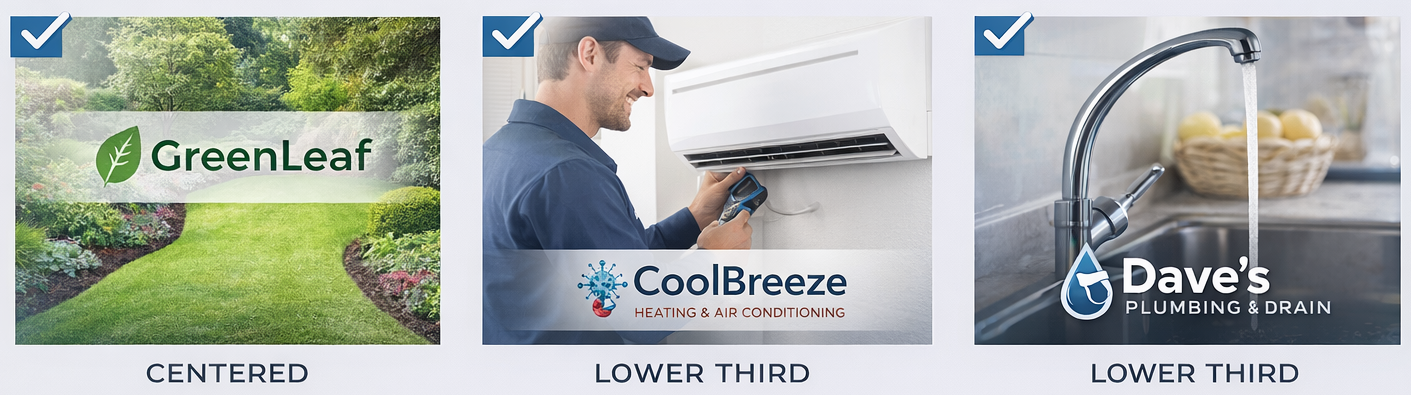
- The logo may be layered onto a representative image.
- It should not exceed approximately 20–30% of the image width.
- Placement should be centered or in the lower third.
- Subtle overlays may be used for legibility.
- The underlying image must remain meaningful without the logo.
Logo Usage
If a client requests logo inclusion:
- The logo may be layered onto a representative image.
- It should not exceed approximately 20–30% of the image width.
- Placement should be centered or in the lower third.
- Subtle overlays may be used for legibility.
- The underlying image must remain meaningful without the logo.
Page-Specific Overrides
- A page-specific OG image may replace the default.
- When set, the page-specific image appears when that page’s link is shared.
- Example: A restaurant may use a signature dish image for its Menu page.
Client Submissions
- Clients may supply their own Social Image if it meets size, ratio, and file requirements. Hibu will not redesign client-submitted images that do not meet quality standards.
Key Principle
- The Social Image should clearly represent the business and align visually with the landing page experience. In most cases, a clean, outcome-focused version of the homepage hero image is the strongest default.